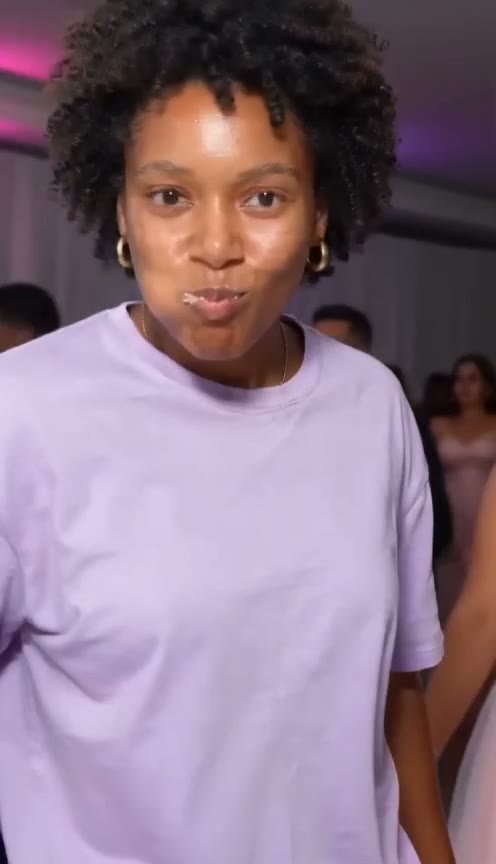
Want to make the Dime Dime Baby video in a general AI video tool such as Kling, Seedance, Veo or Hailuo? You need one photo and a prompt. Below is a prompt you can copy, what each part does, a pet add-on, and the limits you'll run into with text alone.
What the prompt has to describe
The meme is a 9-second handheld clip from a quinceañera in Mexico, posted by the man in it, @eve.el.cholo, on 24 July 2025 and paired with "BbY WOW" by KAROL G, Judeline and rusowsky in October 2026. Read what the Dime Dime Baby trend is for the full story.
A video model doesn't know the clip, so the prompt has to describe it piece by piece:
- The place. A quinceañera party hall at night: party lights, decorated tables, guests in party clothes behind you.
- The camera. A vertical 9:16 handheld phone shot that stays still while you come to it.
- The beats, in order, with times. Walk-in, bite, stare, dance away. Giving each one a time window helps the model keep the order and not rush the stare.
- The concha. Name it and describe it: a round Mexican sweet bread with a sugar shell on top. Otherwise you get a donut, a burger or a cookie.
- The stare. Deadpan, cheeks full, lips shut, chewing, eyes on the lens. Models like to add a smile or a wink. Say no.
- Your face, not his. Describe the dancer as "the person from the reference photo". Don't name the man from the clip; you're not recreating him, you're taking his place.
The Dime Dime Baby AI prompt
Upload your photo as the reference image (image-to-video), then paste this. Keep it in English; most video models follow English prompts best.
Vertical 9:16 handheld phone video, one continuous shot, 9 seconds, at a quinceañera party in Mexico at night:
a decorated party hall with colored party lights, round tables and guests in party clothes dancing in the background.
The person from the reference photo, with exactly their face, hair, skin tone and outfit, is the only dancer the camera follows.
0-2.5 s: they dance toward the camera from the back of the hall with loose, bouncy steps, shoulders moving to the beat,
holding a concha (a round Mexican sweet bread with a crackly sugar shell on top) in one hand.
2.5-3.5 s: right in front of the camera they lift the concha to their mouth and take one big bite.
3.5-5.75 s: close-up of their face: lips closed, cheeks full, chewing slowly, staring straight into the lens,
completely deadpan, no smile, no wink.
5.75-9 s: still chewing, they turn around and dance back into the crowd, back to the camera, one hand raised at the end.
Real phone-video look, slight shake, natural motion blur. Exactly one concha, two hands, five fingers on each hand.
No text, no captions, no logos, no celebrities.
What each part does:
- "9 seconds" sets the length. Many models cap clips at 5 or 10 seconds. If yours stops at 5, cut the dance away and keep the walk-in, the bite and the stare; the stare is the joke.
- "with exactly their face, hair, skin tone and outfit" asks the model to keep you, not invent someone new.
- The time windows keep the bite before the stare and leave over two seconds for the stare itself.
- "lips closed, cheeks full, chewing slowly" stops the model from making you talk or sing.
- "Exactly one concha, two hands" cuts down on extra bread and extra fingers, two common glitches.
Pet add-on
For a dog or cat, use a photo of the whole animal and add this at the end:
The dancer is the animal from the reference photo, standing upright on its hind legs, with its own face, fur, markings and
natural body proportions. It holds the concha in its front paws, bites it and stares into the camera chewing. No human hands.
Tips
- Use a sharp, front-facing photo. The stare is a close-up. A blurry or angled face drifts fastest. Our photo guide has more.
- Start at a low resolution. Try 480p or the cheapest model until the moves look right, then render the version you'll post.
- Change one thing per try. If the bite comes too early, adjust only the times, so you can tell what helped.
- Add the sound when you post. Most video models make silent clips or their own music. Add "BbY WOW" from TikTok's sound library. See the Dime Dime Baby song.
- Use your own face. Or that of an adult who agreed. Many tools block celebrities and children, and so do we.
Why a motion reference beats text alone
A prompt gets you a video in the style of the meme. It won't get you the meme.
- The moves are invented each time. The model reads "dances toward the camera" and makes up its own steps, speed and path. The bite lands at a different moment on every try.
- The camera changes. Text can't pin down how close the lens gets for the stare or how the shot moves as you dance away.
- The face drifts. Over 9 seconds of walking, turning and chewing, faces often slide toward someone else, especially when the back of the head is to the camera.
- You pay per try. Each attempt costs credits or time, and the hall, the light and the bread come out different each time.
A motion reference fixes the first two. Instead of describing the moves, you give the model the moves: a video it follows frame by frame. The catch is that if you use the original footage as the reference, the model can also copy the original man's face or clothes into your video.
That's why our template uses a depth map of the original clip. A depth map is a grey-scale version of the video that shows only how far each point is from the camera. It keeps the shapes, the moves and the camera, and nothing about who's in it. Your photo supplies the face, hair and outfit, and the concha stays in the scene.
Or skip the prompt
On our homepage, you upload one photo and get the whole 9-second clip, following that depth map, with the trend sound and no watermark. No prompt, no settings to tune, no CapCut. One video is $4.99 with no account; with credits, Premium at 480p is 15 credits. For pets, use the dog and cat version.
If the render fails or your photo is rejected, the payment or credits come back automatically. The step-by-step guide shows each step, and the comparison of Dime Dime Baby generators covers other options.
Dime Dime Baby AI is an independent tool, not affiliated with the man in the clip, KAROL G, Judeline, rusowsky, their labels or CapCut.
Read more
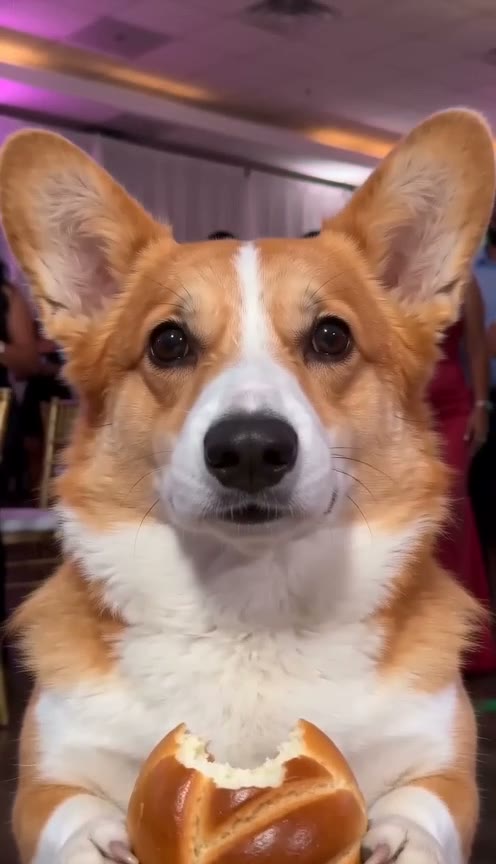
Dime Dime Baby Dog: Make Your Dog or Cat Bite the Concha and Stare With AI
How to make the Dime Dime Baby dog or cat AI video: one pet photo, and it stands on its hind legs, bites the concha and stares into the camera chewing.

Dime Dime Baby CapCut Template and Green Screen: How They Work, and a One-Photo Option
How the Dime Dime Baby CapCut template and green screen work, their limits (face paste, filming, sound, watermark) and a one-photo alternative with the sound.

Dime Dime Baby AI Video Generators (October 2026): CapCut, Green Screen and Six Sites Compared
Ways to make the Dime Dime Baby video, compared as of October 2026: CapCut, green screen and six AI sites on price, length, sound, pets and account.