
The Dime Dime Baby trend spread through two kinds of templates: a green-screen version of the quince clip and CapCut templates built on it. Here's how each one works, where they fall short, and how to make the same video from one photo instead.
Where the templates came from
The clip was filmed at a quinceañera in Mexico. Eve Ramírez (@eve.el.cholo), the man in it, posted it himself on 24 July 2025 as "El video original" (7.6 million views). In October 2026 it came back with "BbY WOW" by KAROL G, Judeline and rusowsky, whose "dime dime baby" hook named the meme.
Then:
- 12 October 2026: a green-screen version went up, so people could drop themselves into the hall.
- CapCut templates followed. On 18 October 2026, a CapCut tutorial passed 3 million views.
- Remakes with friends, babies and dogs followed.
More background in what the Dime Dime Baby trend is.
How the green-screen version works
A green-screen version is usually the original clip with part of the frame turned into a flat green colour. You put yourself back in with chroma key:
- Save the green-screen clip from the post that shares it.
- Film yourself doing the moves: walk toward the camera, bite something, stare into the lens while you chew, turn and dance away. Film vertically, in good light, against a plain background.
- In an editor with chroma key (CapCut has one), put the green-screen clip on top of your footage and key out the green.
- Line up your walk-in, bite and stare with the timing of the clip. Resize and move your layer until you look like you're in the hall.
- Add the sound and post.
What's good about it: it's free, it's really you, and the stare is your own. If you can hold a straight face while chewing, nothing beats it.
What's hard: you have to act it out and match the timing. The light on you won't match the party light, so you look pasted in. You need a concha, or something like one. And it takes a few tries to get the stare right.
How the CapCut template works
A CapCut template is a pre-made edit. You open it in the CapCut app, add your own photo or clip, and the app drops it into the slots the template author set up.
- Find a Dime Dime Baby or BbY WOW template, usually through a "Use template in CapCut" link on a TikTok post.
- Open it in CapCut and tap Use template.
- Pick the photo or clip it asks for.
- Preview, then export and post to TikTok.
What's good about it: it's quick, free to start, and you stay in the app most trend videos come from. You can edit around it, add text, or change the cut.
The limits
Templates differ, so check the one you pick, but these come up a lot:
- Face paste vs full body. Many templates put your face or a cut-out of you onto the existing footage. The original body, outfit and moves can stay. If that's the joke you want, fine. If you want it to be you, all the way down, it isn't.
- The stare is the weak spot. The close-up is the part people look at. A pasted face often doesn't move with the chewing, and it shows.
- You need the app. CapCut is a separate app to install and sign in to. Some features are on its paid plan.
- Export marks. Depending on the template and your plan, an export can carry an end screen or a mark. Check before you post.
- The sound. Some templates carry the trend sound, others don't. Even when they do, TikTok may match it. Adding "BbY WOW" from TikTok's sound library when you post is the usual route. See the Dime Dime Baby song.
- Finding the right one. Template links get taken down and reposted. Searching for one can take longer than making the video.
The one-photo alternative
On our homepage, you upload one photo of yourself and get the whole 9-second clip back, with you in it from head to toe:
| Time | Beat | What happens |
|---|---|---|
| 0–2.5 s | Walk-in | You dance toward the camera from the back of the hall |
| 2.5–3.5 s | Bite | You lift the concha and take a big bite |
| 3.5–5.75 s | Stare | Close-up: cheeks full, lips shut, chewing, eyes on the lens |
| 5.75–9 s | Dance away | You turn and dance back into the party, one hand up at the end |
The moves come from a depth map of the original clip, so the timing matches the meme. Your face, hair and outfit come from your photo, so it's you in the close-up, not a pasted face. The concha stays.
Compared with the templates:
| Green screen | CapCut template | Dime Dime Baby AI | |
|---|---|---|---|
| What you need | Your own footage and an editor | The CapCut app | One photo |
| Acting needed | Yes | No | No |
| You in the whole shot | Yes, keyed in | Often only the face | Yes, generated |
| Trend sound | You add it | Depends on the template | In the MP4, or download silent |
| Watermark | No | Depends on template and plan | No |
| Cost | Free | Free to start | $4.99 per video, no account |
One video is $4.99 (Balanced, 480p), $6.99 (720p) or $8.99 (Premium, 480p), with no account and no watermark. Credit packs start at $9.90 for 20 credits and never expire. If the photo is rejected or the render fails, you get your money or credits back automatically.
Posting it like the template videos
The MP4 comes with the trend sound. For TikTok, many people turn the music switch off on the finished video, download it silent and add the sound in TikTok so the post links to the trend. Turn on the AI-generated label when you post. The step-by-step guide has the details.
Your dog with the concha
Dogs were part of the remakes too. On the dog and cat version, one photo of your pet puts it in his place: it stands on its hind legs, holds the concha in its front paws, bites and stares. No green screen, no costume, no treats needed.
FAQ
Is there an official Dime Dime Baby CapCut template? No single official one. Templates are made by CapCut users, and links change.
Do I need CapCut to make the video? No. You can use a green screen in any editor that has chroma key, or upload one photo to our homepage.
Can I use a photo of a celebrity in the template? On our site, no: celebrity photos and photos of children don't pass review. Use your own photo or one of an adult who agreed.
Which is better, the template or the AI version? If you want to act out the stare yourself, the green screen. If you want a quick paste in the app, CapCut. If you want the whole clip with you in it from one photo, ours. The comparison post goes through every option.
Dime Dime Baby AI is an independent tool, not affiliated with the man in the clip, KAROL G, Judeline, rusowsky, their labels or CapCut.
Read more
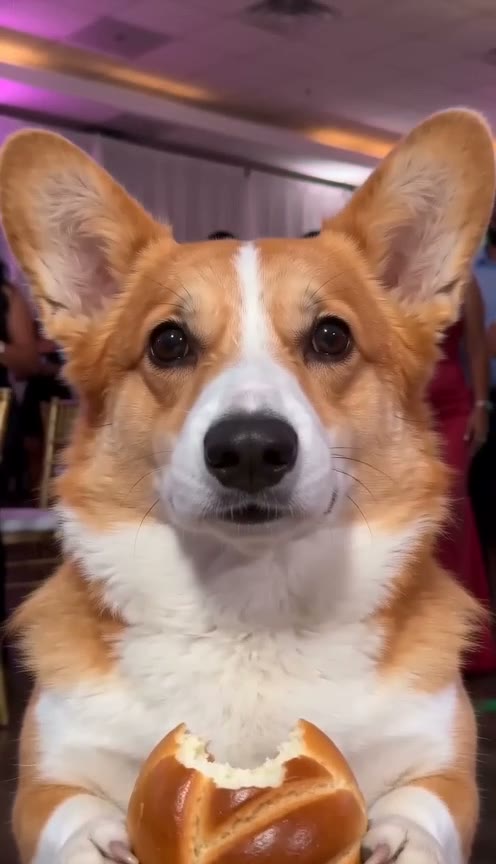
Dime Dime Baby Dog: Make Your Dog or Cat Bite the Concha and Stare With AI
How to make the Dime Dime Baby dog or cat AI video: one pet photo, and it stands on its hind legs, bites the concha and stares into the camera chewing.
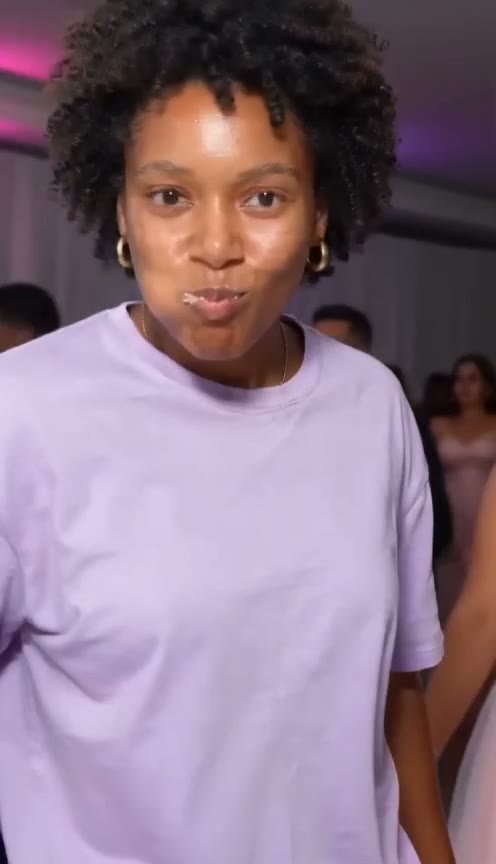
Dime Dime Baby AI Prompt: Copy-Paste Text for the Concha Bite and Stare
A ready-to-paste Dime Dime Baby AI prompt for Kling, Seedance, Veo or Hailuo: the walk-in, the concha bite, the chewing stare, plus tips and limits.

Dime Dime Baby AI Video Generators (October 2026): CapCut, Green Screen and Six Sites Compared
Ways to make the Dime Dime Baby video, compared as of October 2026: CapCut, green screen and six AI sites on price, length, sound, pets and account.