
The Dime Dime Baby video takes one photo and puts that person in the BbY WOW guy's place: the walk-in, the concha bite, the stare and the dance away. The motion is fixed. Everything about how you look comes from the photo. So the photo is the one thing worth getting right.
What the photo is used for
Our template follows a depth map of the original clip. A depth map carries the moves and the camera, not a face or clothes. Everything else is read from your photo:
- Your face, for the close-up stare.
- Your hair and skin tone, for every frame.
- Your outfit, which becomes your party outfit.
What the video can't see in the photo, it has to guess. Most problems come from that.
The face: the stare is a close-up
From about 3.5 to 5.75 seconds, your face fills the frame while you chew and stare into the lens. That's the part people screenshot and the part your friends will check.
- Sharp and in focus. No motion blur, no heavy zoom.
- Toward the camera. Eyes and mouth clearly visible. A slight angle is fine; a side profile isn't.
- Nothing covering it. No sunglasses, masks, hands, or a cap low over the eyes.
- No beauty filters. Face-smoothing apps change your features, and the video copies the filtered face.
- Neutral or slight smile. The stare is deadpan. A wide-open laugh in the photo can make the close-up look odd.
Framing: chest up or full body
Head and shoulders work, but the walk-in and dance away show you from further back.
- Chest up is the minimum. It gives your face plus your top.
- Waist up or full body is better. It shows the outfit and your build, so the dance looks like you.
- Vertical photos match the 9:16 video and usually keep more of your body in frame.
A photo taken by a friend at arm's length or further beats a close selfie. Selfies also stretch the face a little because the phone is so close.
Light: bright and even
The party hall has colored party lights. The video relights you to match it, but it needs a clear starting point.
- Daylight or a bright room. Window light facing you is ideal.
- Avoid strong backlight. A bright window behind you turns your face dark.
- Avoid harsh shadows. Midday sun from above puts shadows under your eyes and nose.
- Avoid night photos with flash. They flatten the face and blow out skin tone.
One person only
Group photos make it unclear who should dance, and they often get rejected at review. If the best photo of you is a group shot, crop it down to just you before uploading. Leave some margin around your head and shoulders when you crop.
Your outfit becomes your party outfit
Whatever you wear in the photo is what you wear in the hall. That's part of the fun. A hoodie, a work shirt, a suit or a football kit all work. The further it is from party clothes, the more it stands out next to the guests.
Clear photos of the outfit work best. Busy patterns and big logos can shift a little as you move. If only your face and neck are in the photo, the model picks an outfit for you.
Hair
The dance away shows the back of your head, which isn't in your photo. The video fills it in from what it can see.
- Hair clearly visible in the photo helps most.
- A hat in the photo can stay on, and the hair under it is a guess.
- Hair tied up or down: either works, as long as it's clearly visible.
What to avoid
| Avoid | Why |
|---|---|
| Sunglasses, masks, hands on face | The close-up stare loses your likeness |
| Group photos | Unclear who dances; often rejected |
| Heavy filters or face-smoothing | The video copies the filtered face |
| Very small face far away | Not enough detail for the close-up |
| Dark or backlit photos | Skin tone and features come out muddy |
| Screenshots, collages, film stills | Low detail; film and music video stills don't pass review |
Whose photo you can use
Use your own photo, or one of an adult who agreed to be in the video. Photos of celebrities and of children don't pass review. If a photo is rejected, your payment or credits come back automatically and you can try another one.
Your photos stay private. We never publish them or show them to other users, and uploads are deleted 30 days after the video is made.
Pets: a different page
The homepage template is for people only. For a dog, cat or other pet, use the pet version, where your pet stands on its hind legs, holds the concha in its front paws, bites and stares.
Pet photos follow similar rules, with a few differences:
- One animal per photo. Crop out other pets and the person holding it.
- Face sharp and toward the camera. Eyes and nose clear. Take it at your pet's eye level.
- Show some body. Head and chest at least, the whole animal if you can, so it stands up with the right size, fur and markings.
- Good light. Dark fur in a dim room turns into a blur.
The dog and cat guide has more.
Ready?
Once you have the photo, the rest takes a few minutes. Upload it on the homepage, pick the model and quality, and generate. One video is $4.99 with no account, with the trend sound and no watermark. Every option is explained in the step-by-step guide, and if you're curious where the clip came from, read what the Dime Dime Baby trend is.
Dime Dime Baby AI is an independent tool, not affiliated with the man in the clip, KAROL G, Judeline, rusowsky, their labels or CapCut.
Read more
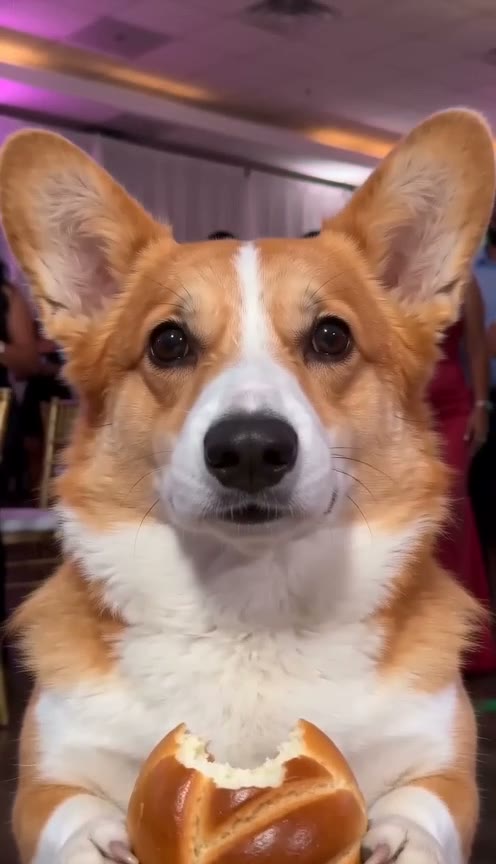
Dime Dime Baby Dog: Make Your Dog or Cat Bite the Concha and Stare With AI
How to make the Dime Dime Baby dog or cat AI video: one pet photo, and it stands on its hind legs, bites the concha and stares into the camera chewing.
Dime Dime Baby CapCut Template and Green Screen: How They Work, and a One-Photo Option
How the Dime Dime Baby CapCut template and green screen work, their limits (face paste, filming, sound, watermark) and a one-photo alternative with the sound.
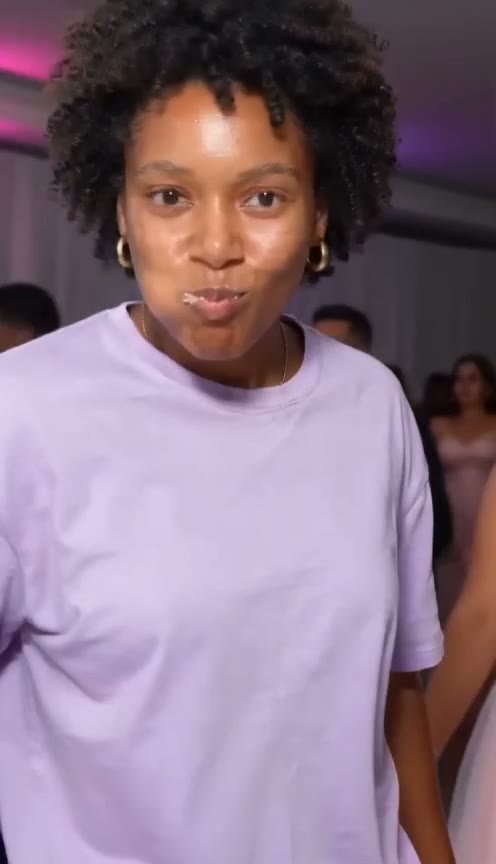
Dime Dime Baby AI Prompt: Copy-Paste Text for the Concha Bite and Stare
A ready-to-paste Dime Dime Baby AI prompt for Kling, Seedance, Veo or Hailuo: the walk-in, the concha bite, the chewing stare, plus tips and limits.